
Where to look for help within QuickBooks
Where to find the help in QBO:

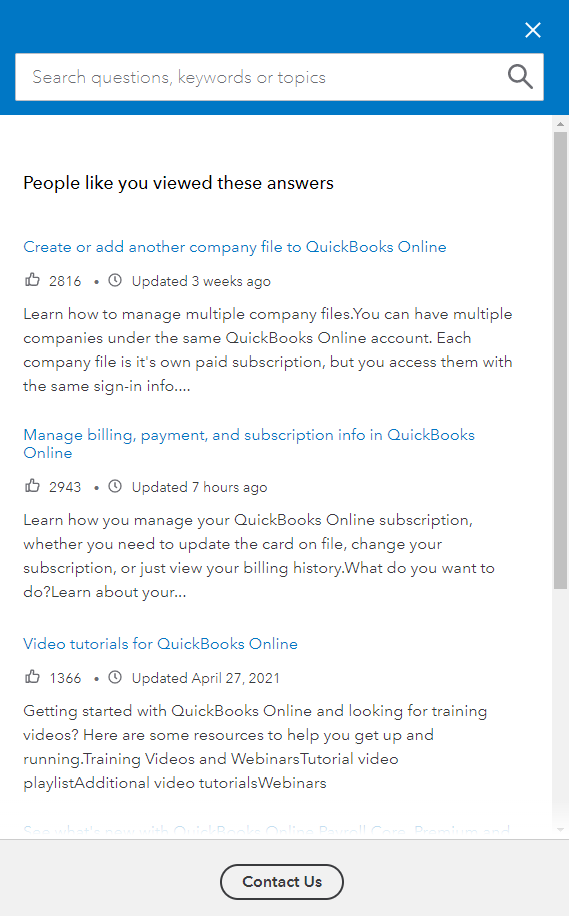
- To find help in QBO in the top header of the web page will be the Help button as seen in the image above.
- Once you select help, type in what you are looking for and multiple articles will populate with in formation.
- If you cannot figure out your problem through the help articles, select Contact us at the bottom.
- You will be prompted to type in what you are having issues with to which the help box will search for an article for your problem or prompt ways to contact a rep. Chat is the preferrable root to solve the problem.
- Chat - Typically good if there is a simple problem - This is the fastest approach
- Appointment - If it's vital to speak to someone but not necessarily time sensitive
- Callback - If it's vital to speak to someone but not necessarily time sensitive
- Phone Number - Risk a long hold period
- Intuit will typically use two tools to help during chat or through calls
- Glance
- Intuit will prompt you to download Glance which will allow them to view your screen.
- Intuit typically requires that you are on a call with a rep during this
- Smartlook
- Similar to Glance, this is built into QBO through settings which allows a QBO rep to view your screen.
- Glance
- You will be prompted to type in what you are having issues with to which the help box will search for an article for your problem or prompt ways to contact a rep. Chat is the preferrable root to solve the problem.
What to expect when you switch from QuickBooks Desktop to QuickBooks Online