![instructions user-guide.png]](https://www.beansquad.com/hs-fs/hubfs/instructions%20user-guide.png?height=40&name=instructions%20user-guide.png)
Once you have signed up for lastpass and had the correct folder shared with you, follow the steps below to connect your credentials to the shared folder
Make sure you have the lastpass browser extension installed
Still need to install it? Get it here
1. Sign in to the lastpass browser extension
2. Navigate to the site you want to sign in to & Sign In. The lastpass extension will ask you if you would like to add these credentials to lastpass - Select the edit Pencil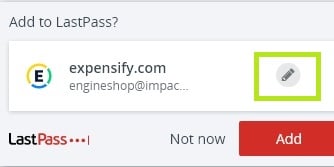
3. Select the folder you want to add the credentials to
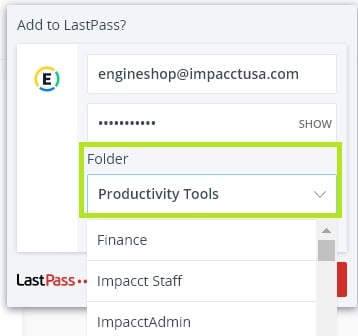
4. Click the red Add button